New Blog Post in Hugo with Glitch Image Preview
Introduction
One of the most useful commands in Hugo is hugo new, which helps users quickly create new content files. Its basic form is already quite sophisticated:
hugo new "blog/hello-world.md"
This command understands that it should use the blog template to generate some scaffolding. At the same time, it’s quite basic. If I want to prefix the filename with today’s date, I can do:
hugo new "blog/$(date +%Y-%m-%d)-hello-world.md"
If want to create a page bundle, which is a folder that holds all the assets for that page as well as the page itself, I can do:
hugo new "blog/$(date +%Y-%m-%d)-hello-world/index.md"
I like to create preview images for my posts because I publish them to Mastodon to allow comments. Without a preview image, posts look broken. So I needed an extra step after post creation.
Finally, if my post is called “Hello, world!”, I want a command that lets me type [command] 'Hello world!' and have it automatically figure out the URL, rather than the other way around. That’s why I created a bash script.
The set up
The command is called hugo-new and lives in ./scripts in the project folder. When I load up hugo in my editor, I can run
export PATH="$PATH:./scripts"
Once done, all scripts in ./scripts are available without prefix. In other words, I can just type:
hugo-new "blah blah"
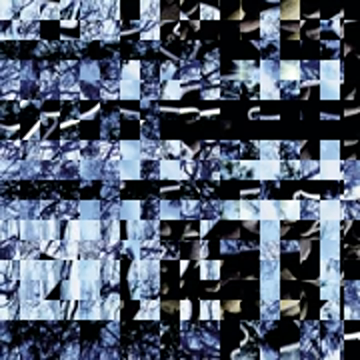
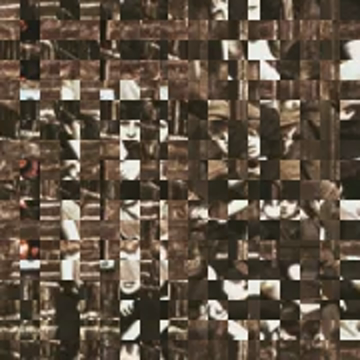
and the script will create the page bundle with a primed markdown file and a glitch preview image. The images look like this
The script
The command itself is fairly simple - a wrapper for the Hugo command above. The more complicated part is the ffmpeg command that generates a glitchy preview image from one of my videos. That part was generated with the help of a local LLM (qwen3-coder). Despite its odd preference for using awk for random numbers, it worked fine.
#!/bin/bash

# Check if TITLE is provided
if [ -z "$1" ]; then
  echo "Usage: $0 \"Your Title Here\""
  exit 1
fi

TITLE="$1"

# URLize the title (convert to lowercase, replace spaces with hyphens)
URLIZED_TITLE=$(echo "$TITLE" | tr '[:upper:]' '[:lower:]' | sed 's/[^a-zA-Z0-9-]/-/g' | sed 's/-*$//')

# This is the basic command we are wrapping: creates a blog post scaffold
hugo new "blog/$(date +%Y-%m-%d)-$URLIZED_TITLE/index.md"

# Pick a random MP4 from my video collection
INPUT=$(find /Users/fritz/.yarkie/videos -type f -name "*.mp4" | sort -R | head -n 1)

# Get video width, height, and duration
WIDTH=$(ffprobe -v error -select_streams v:0 -show_entries stream=width -of csv=p=0 "$INPUT")
HEIGHT=$(ffprobe -v error -select_streams v:0 -show_entries stream=height -of csv=p=0 "$INPUT")
DURATION=$(ffprobe -v error -select_streams v:0 -show_entries format=duration -of csv=p=0 "$INPUT")

# Pick a random split in the central square (clamped between 1/4 and 3/4 of width)
SPLIT=$(awk -v w=$WIDTH 'BEGIN{srand(); print int(w/4 + (w/2)*rand())}')

# Determine final square because the preview should be square, but most mp4's are not
SQUARE=$(( WIDTH < HEIGHT ? WIDTH : HEIGHT ))

# Pick a random time between 20% and 80% of duration
SS=$(awk -v dur=$DURATION 'BEGIN{srand(); print dur*0.2 + dur*0.6*rand()}')

# - Crops a central square from the video
# - Splits the square into left and right parts
# - Applies transformations to create glitch effects with shufflepixels
# - Overlays the glitched parts back onto the base image
# - Scales and crops to a square aspect ratio
# - Saves the image in the same page bundle where the markdown file is
ffmpeg -y -ss $SS -i "$INPUT" -filter_complex "
[0:v]crop=w=iw/2:h=ih/2:x=iw/4:y=ih/4[center];

[center]split=3[base][left][right];

[left]crop=w=$((SPLIT - WIDTH/4)):h=ih:x=0:y=0,shufflepixels,transpose=1,shufflepixels,transpose=2[leftglitch];
[right]crop=w=$((3*WIDTH/4 - SPLIT)):h=ih:x=$((SPLIT - WIDTH/4)):y=0,shufflepixels,transpose=2,shufflepixels,transpose=1[rightglitch];

[base][leftglitch]overlay=0:0[tmp];
[tmp][rightglitch]overlay=x=$((SPLIT - WIDTH/4)):y=0[glitched];

[glitched]scale=iw*2:ih*2,crop=$SQUARE:$SQUARE
" -frames:v 1 -update 1 "./content/blog/$(date +%Y-%m-%d)-$URLIZED_TITLE/feature.png"
Small but perfectly formed
It’s nothing revolutionary, but it neatly encapsulates most of the work involved in creating a blog post. Next step: handling direct posting to Mastodon!
Got thoughts on this post? Join the conversation on Mastodon!